01
Playlist & patterns
Arrange patterns on the timeline; duplicate lanes instead of cloning chaos.
FL Studio 是模式优先的。当你像乐高积木一样对待图案而不是一堆凌乱的图案时,这就是一种超能力。下面的截图直接来自制作者日常使用的环境,因此您可以将建议与您在屏幕上实际看到的内容联系起来。
Workspace map
Arrange patterns on the timeline; duplicate lanes instead of cloning chaos.
MIDI notes, velocity, and humanization—where loops become performances.
Trigger patterns and hear the spine before the mixer polishes it.
Buses, sends, and headroom—the level discipline layer.
Samples, presets, and projects—keep favorites starred and named.
Stock tools first; add third-party only when the job is clear.
Deep dive
Micro-timing and velocity shapes are where “MIDI” becomes music. Edit in passes: notes and lengths first, velocity second, swing last—your ears stay fresh longer.
Route drums to a drum bus, harmonic elements to music buses, and keep the master chain gentle until the final stage. Headroom is the safety margin that makes your limiter behave.
A curated library beats an unlabeled folder. Star favorites, split one-shots from loops, and name projects with dates so the Browser stays a launchpad, not a maze.
Signal flow
As projects grow, CPU use and mental load grow too. Sidechain on a bus, parallel saturation on drums, and send effects for space keep the mix modular—fix the bus, not forty tracks.
选择你的配置
选择适合工作的版本。FL Studio 从入门 Loop 套件到完整母带处理,都使用同一个项目格式。

MIDI 排序、乐器与效果器。旋律与节拍的经典入口。
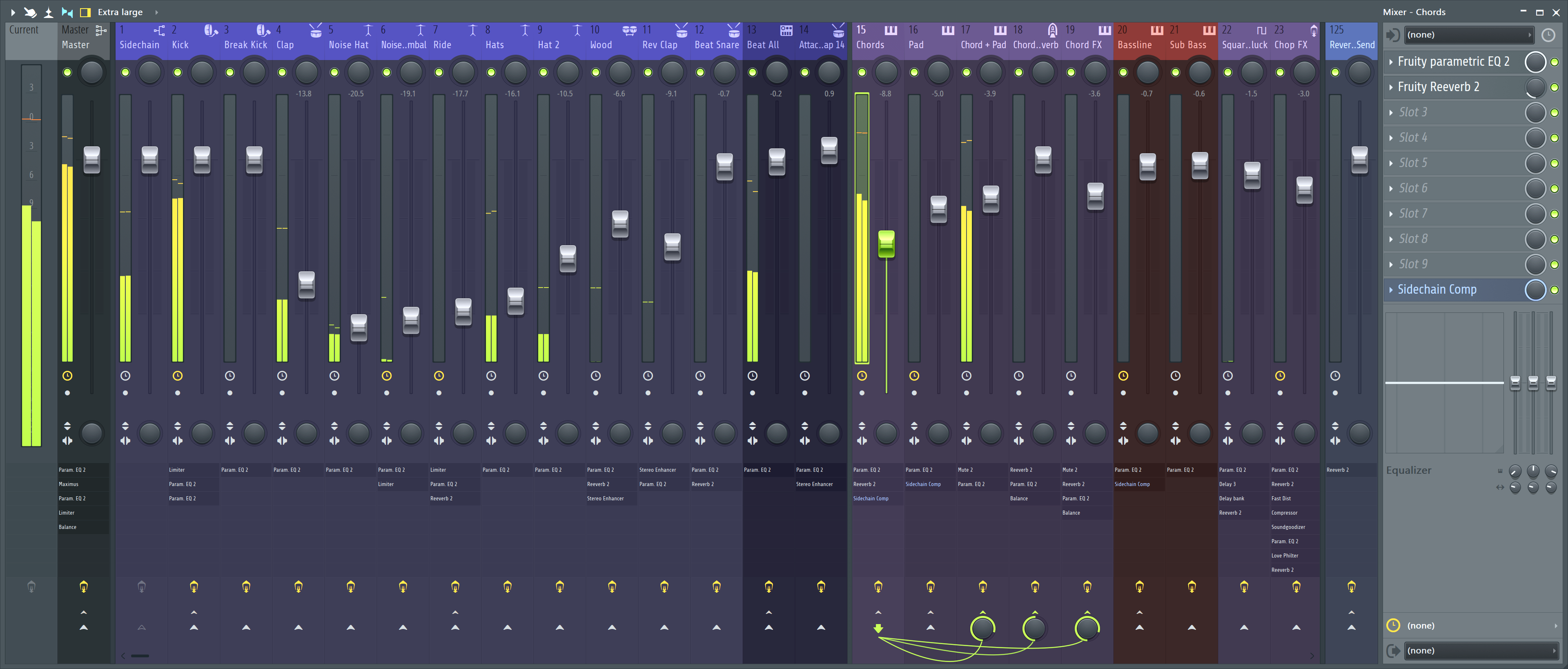
增加音频录制、自动化与完整混音台。完成作品最常用的版本。

Producer Edition 加上标志性插件 — Sytrus、Hardcore、Pitcher、NewTone、Gross Beat。

包含全部 Image-Line 插件,如 Toxic Biohazard、DirectWave、Morphine、Vocodex。
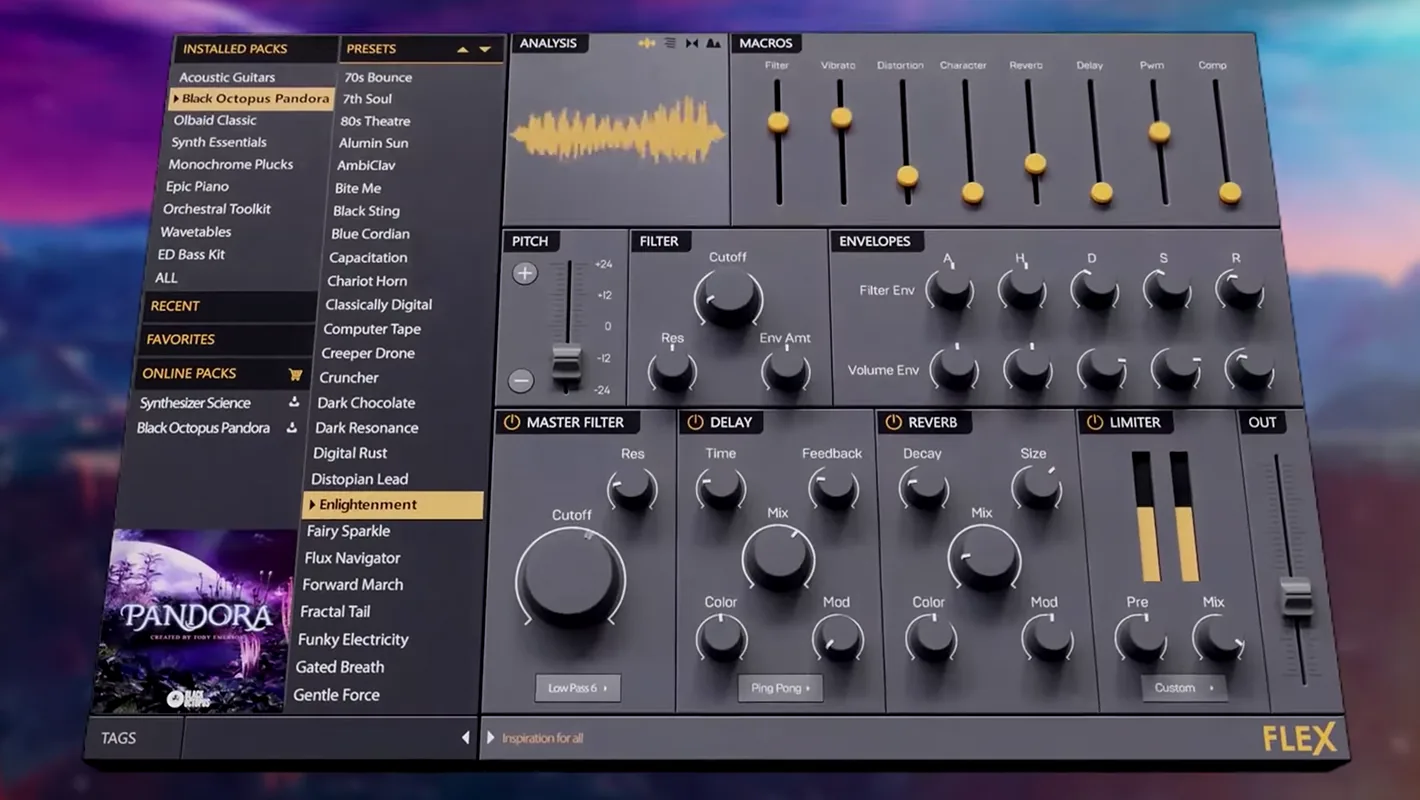
以预设为核心的混合合成器。秒级试听、加载、写入工程。
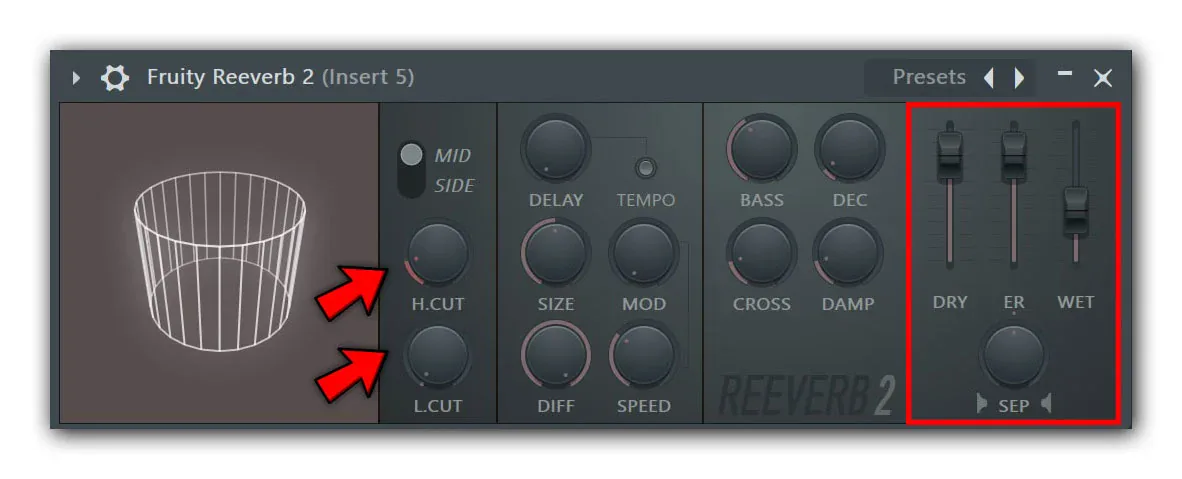
原生混响,为厚实 pad、尾音和并行 send 总线调校。
用平板或手机控制走带、混音台、Channel Rack 与钢琴卷帘。