01
Playlist & patterns
Arrange patterns on the timeline; duplicate lanes instead of cloning chaos.
FL Studio はパターン至上。パターンを散乱ではなく LEGO のように扱えば強みになる。下のキャプチャは制作者が毎日使う画面そのものなので、アドバイスと見えているものを結び付けられます。
Workspace map
Arrange patterns on the timeline; duplicate lanes instead of cloning chaos.
MIDI notes, velocity, and humanization—where loops become performances.
Trigger patterns and hear the spine before the mixer polishes it.
Buses, sends, and headroom—the level discipline layer.
Samples, presets, and projects—keep favorites starred and named.
Stock tools first; add third-party only when the job is clear.
Deep dive
Micro-timing and velocity shapes are where “MIDI” becomes music. Edit in passes: notes and lengths first, velocity second, swing last—your ears stay fresh longer.
Route drums to a drum bus, harmonic elements to music buses, and keep the master chain gentle until the final stage. Headroom is the safety margin that makes your limiter behave.
A curated library beats an unlabeled folder. Star favorites, split one-shots from loops, and name projects with dates so the Browser stays a launchpad, not a maze.
Signal flow
As projects grow, CPU use and mental load grow too. Sidechain on a bus, parallel saturation on drums, and send effects for space keep the mix modular—fix the bus, not forty tracks.
あなたの構成を選ぶ
ワークに合うパッケージを選びましょう。FL Studio はスターターから本格的なマスタリング環境まで、同じプロジェクトフォーマットで拡張できます。

MIDI シーケンス、楽器、エフェクト。メロディとビートの定番入口。
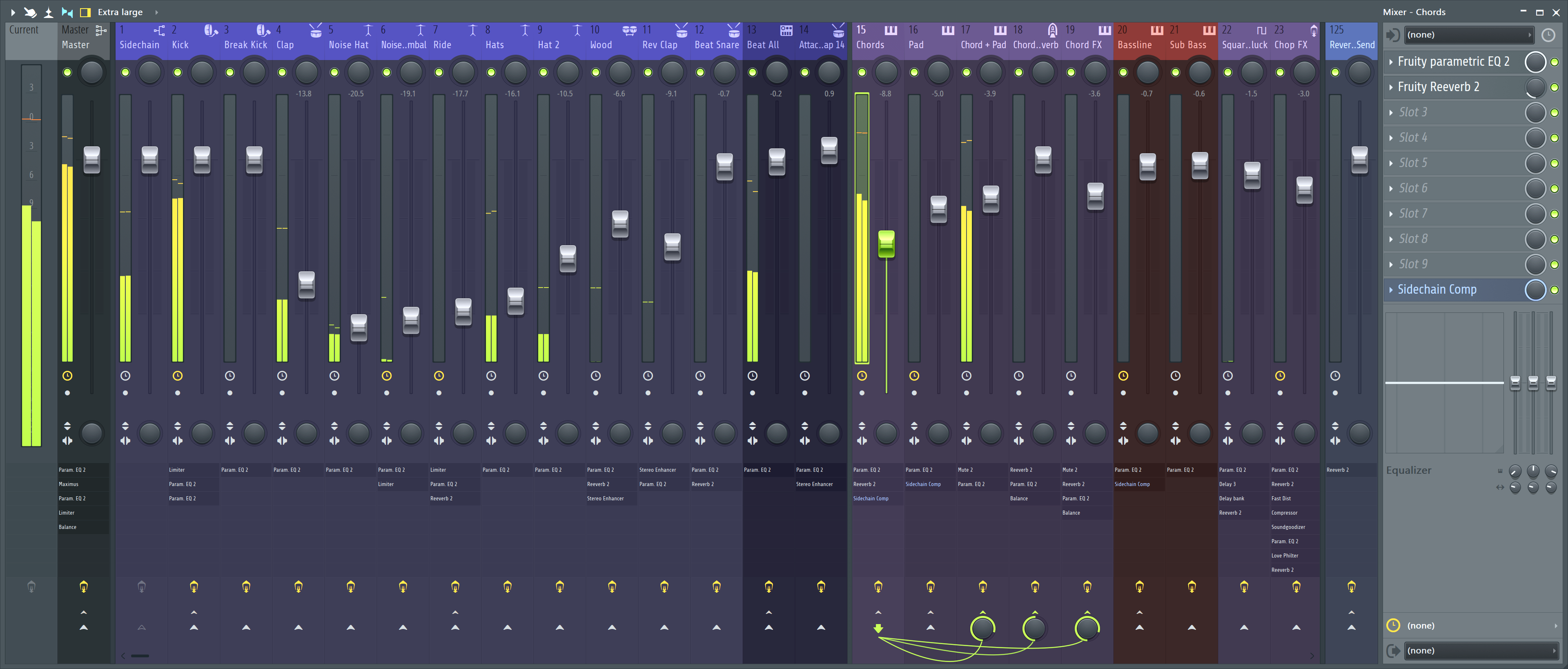
オーディオ録音、オートメーション、フルミキサーを追加。仕上げで最も使われる構成。

Producer Edition に Sytrus / Hardcore / Pitcher / NewTone / Gross Beat を追加。

Toxic Biohazard、DirectWave、Morphine、Vocodex を含む全 Image-Line プラグイン。
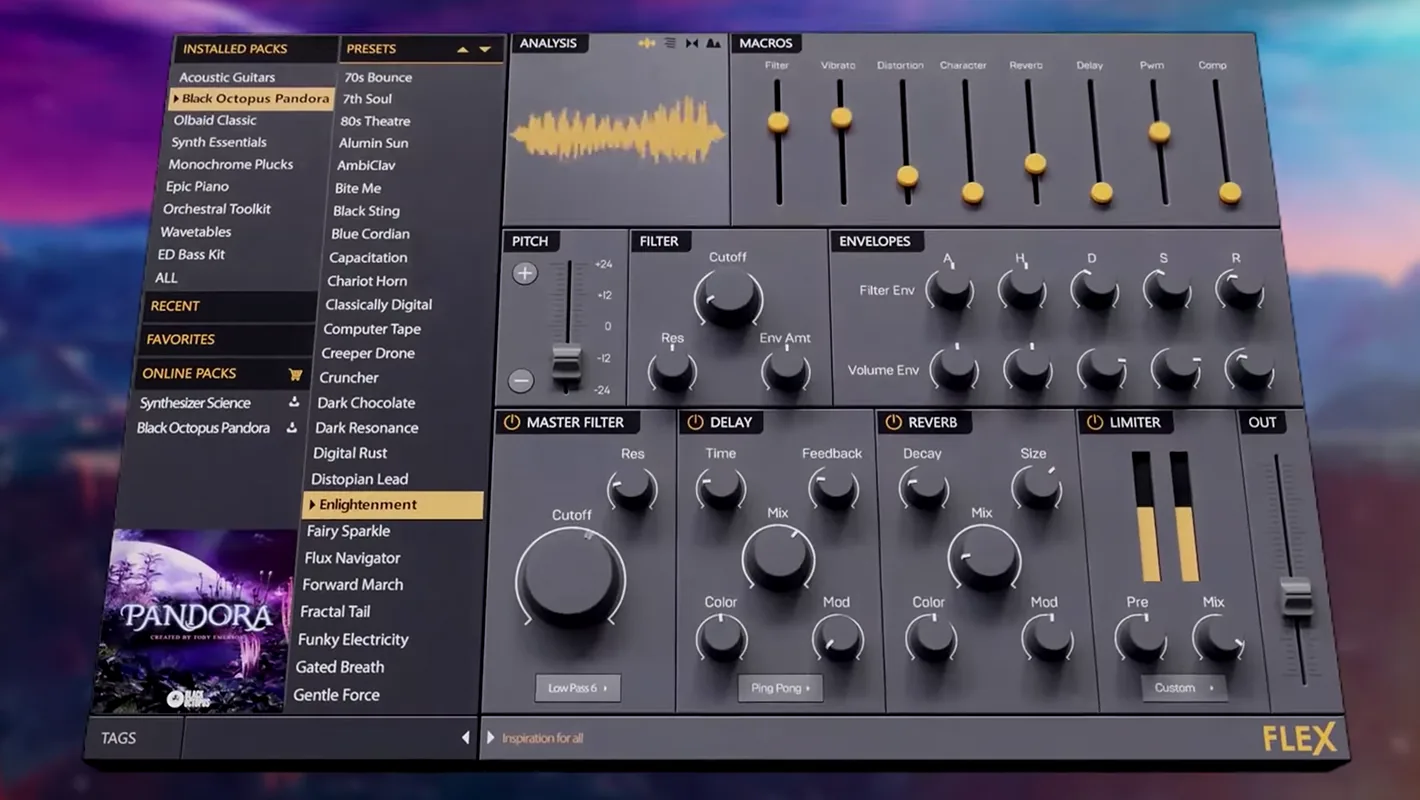
プリセット駆動のハイブリッドシンセ。試聴・ロード・適用が数秒。
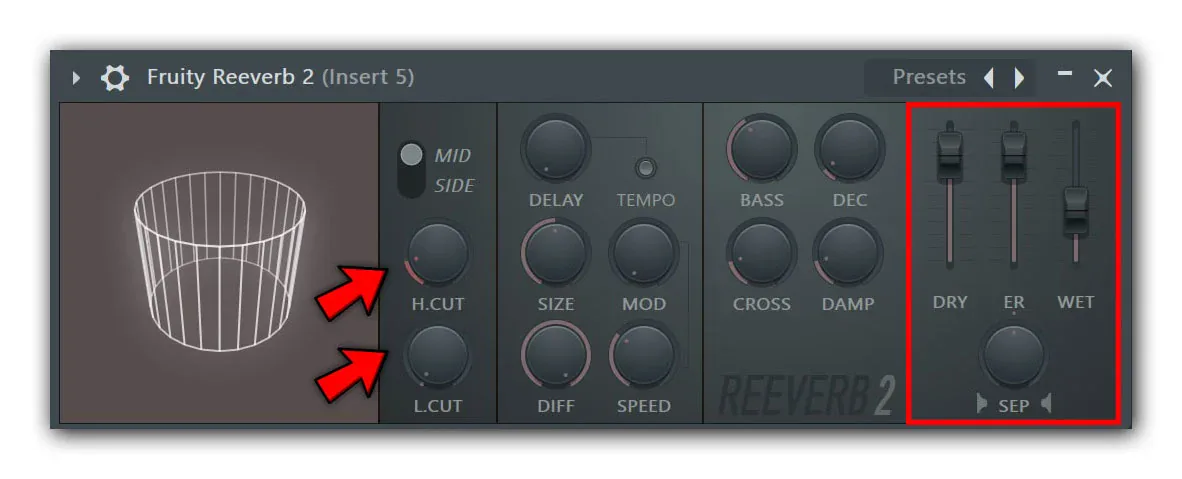
厚みのあるパッド、テール、パラレル send バス向けに調整された純正リバーブ。
タブレット/スマホからトランスポート、ミキサー、チャネルラック、ピアノロールを操作。